
mailFactory® DocumentLogging provides the ability to identify, trace and report the processing results of the document production.
mailFactory® DocumentLogging provides complete mail piece verification by reading the printed identification. The software supports the following operation mode: → Creation of a result file during the process with the production data.
With the Logging mode a result file is created during the inserting process. This mode guarantees the quality of the mail piece production by providing proof of processing. A selection according to the production process definition can be made between reading at the input and reading at the output of the inserting system. The reading modules support various barcode and data matrix formats. mailFactory® DocumentLogging has additional options to relay the read information to PostManifest interfaces or to an output device, e.g. for logo printing.
Main Features
Proof of production
mailFactory® DocumentLogging will proof and record your production on a mail piece level. A result file is created during the processing.
Output reading
mailFactory® DocumentLogging is suitable to read a 1D barcode or 2D data matrix code at the output through the envelope window. As a benefit a code is not needed on every sheet or you can run the process as before with OMR codes.
Automatic Job Setup
Automated job setup is supported at the inserter by using scanned information. This helps to prevent errors in job handling.
Option Logo-Print
Based on the reading, a static logo will be printed at the output.
Factsheet DocumentLogging
1 MB

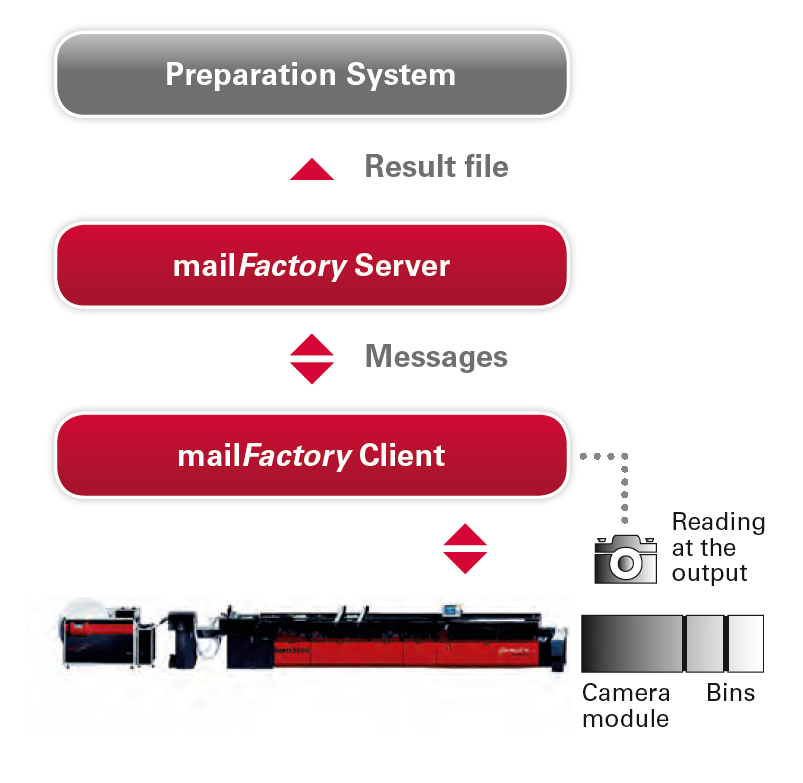
mailFactory® DocumentLogging, with Reading at Output
An additional reading device and a camera module are required for reading at the output. Different versions are available depending on the printed barcode type and reading requirements:
- Barcode scanner for 1D barcodes
- Camera for 2D codes (data matrix)
- Line scanner for flexible data acquisition
The PC with the corresponding mailFactory® DocumentLogging client software can be directly integrated in the camera module. This client is connected with a dedicated network with the mailFactory® server. On the other hand, the mailFactory® server can be connected to an overlaid production management software to send back the result file from the production.
With this solution the inserting system can still be controlled by OMR reading at the input.
With reading at Output
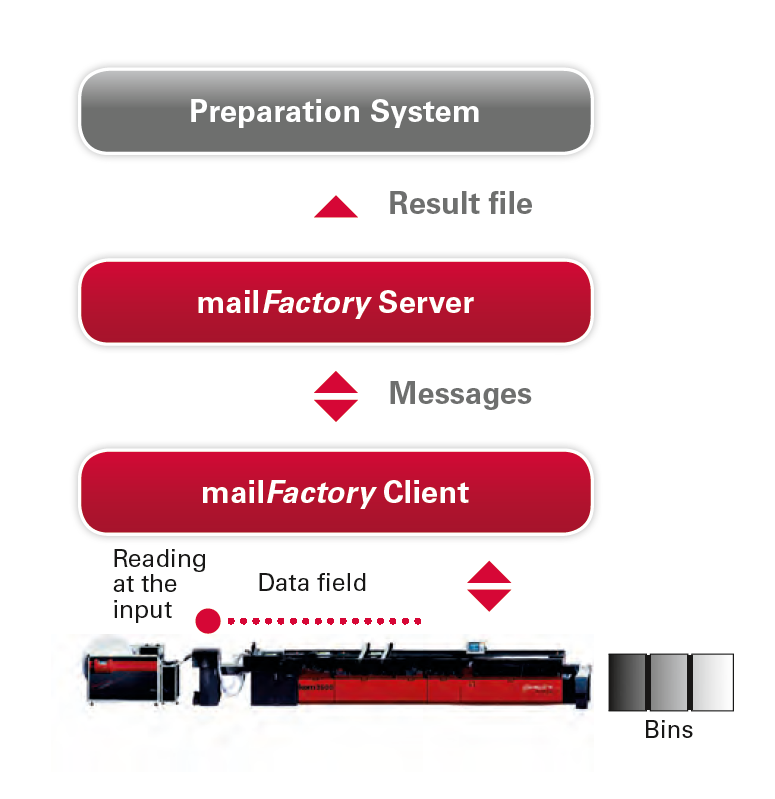
mailFactory® DocumentLogging, with Reading at Input
This configuration of mailFactory® DocumentLogging is based on an existing barcode or data matrix reading at the input module of the inserting system. The mail piece information (Datafield-Reading) will be connected to the mailFactory® DocumentLogging client. On the other hand, the mailFactory® server can be connected to an overlaid production management software to send back the result file from the production. No additional (hardware) components for the reading of mail piece information are needed.
With reading at Input
- We help to analyze the mail production process and offer consulting to integrate the mailFactory® DocumentLogging optimally in your mailroom environment
- Project management services over the entire integration
- Customizable software components and solutions
- On-site trainings for your employees